Run your virtual fleet like a real operation.
OverWatch ELD gives drivers, dispatchers, and VTC owners one connected platform for live HOS clocks, telemetry, logs, inspections, dispatch, Discord sync, convoy planning, and mobile companion access.
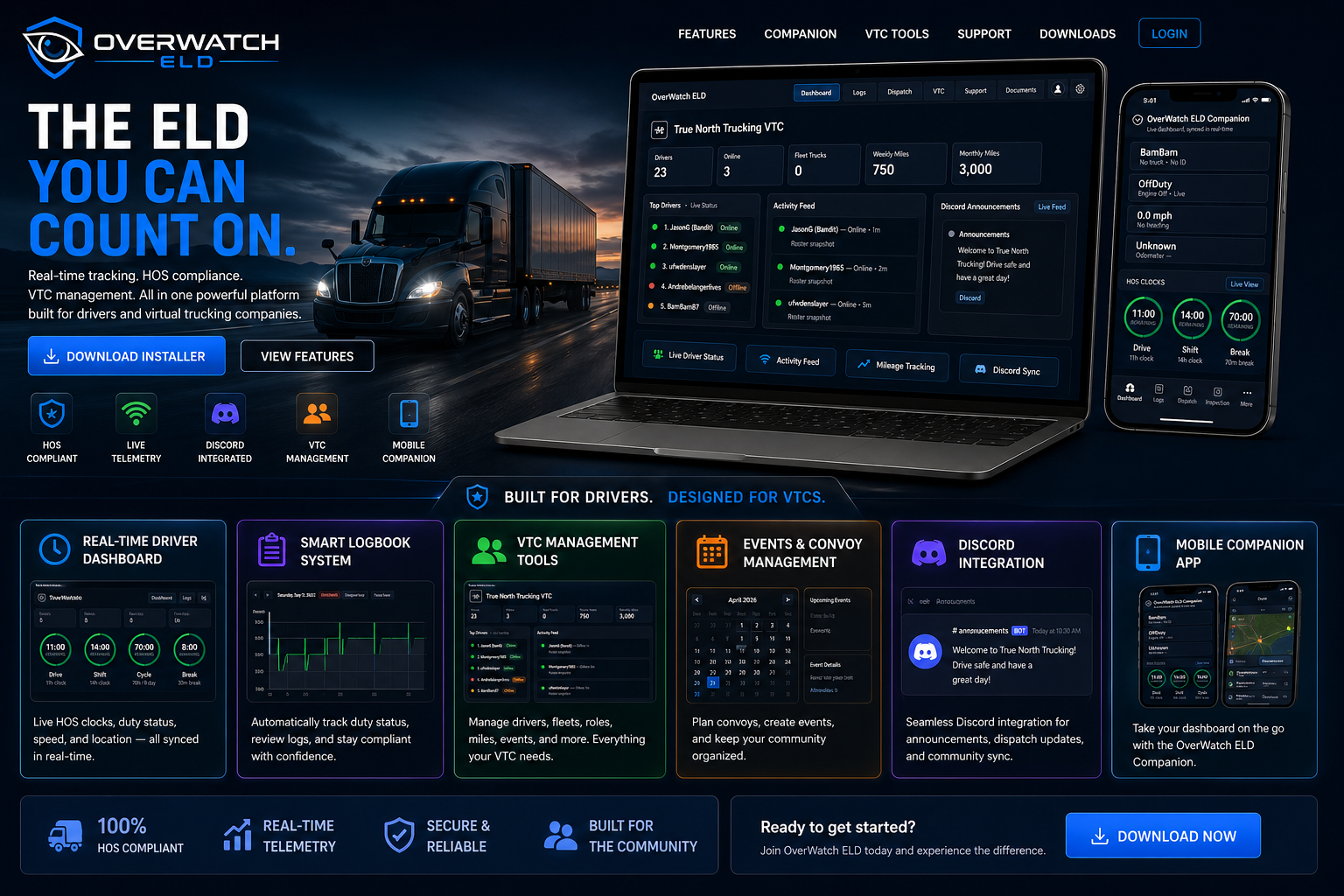
Everything your VTC needs in one system.
Designed to make your company look professional, stay organized, and keep every driver connected.
Live Driver Dashboard
Real-time duty status, HOS clocks, vehicle connection, logs, inspections, and driver tools.
ATS Telemetry
Track speed, fuel, truck data, location, load activity, and fleet updates from live game data.
Discord Integration
Connect announcements, dispatch, messages, roles, VTC pairing, and community activity.
Logs & Inspections
Review duty history, certify logs, export records, and manage pre-trip/post-trip inspections.
VTC Management
Manage rosters, driver status, performance, roles, events, convoys, fleet data, and activity feeds.
Mobile Companion
Give drivers a phone/tablet dashboard for duty status, clocks, dispatch, and live data.
Live Duty Clocks
Give drivers a real-time view of drive time, shift time, cycle time, and break status with clean Motive-style clocks.
Built for drivers.
Drivers get a clean dashboard that helps them focus on driving while keeping logs, inspections, dispatch, and companion access easy to reach.
- Simple duty status controls
- Live clock visibility
- Quick logs and inspections
- Companion QR access
Designed for VTC owners.
Owners and managers get connected tools to keep the company organized, professional, and ready to grow.
- Roster and role management
- Discord-connected announcements
- Fleet and activity snapshots
- Events and convoy management
Easy first-time setup.
New users can follow a simple flow from bot setup to download to telemetry configuration.
Add the Discord Bot
Invite the OverWatch ELD bot to your VTC server so VTC features can connect.
Download the Installer
Install the latest public release of OverWatch ELD from the downloads page.
Connect Telemetry
Follow the setup guide to connect ATS telemetry and start live tracking.
Ready to upgrade your VTC?
Download OverWatch ELD and give your drivers a modern, connected fleet experience.